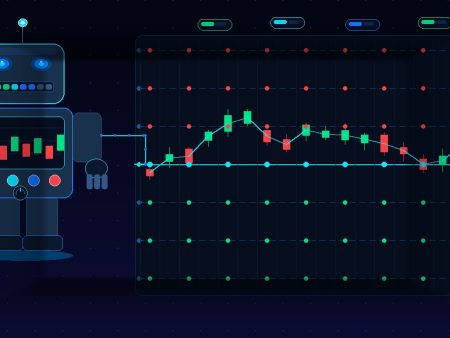
Configure stop loss and take profit on trading robots to manage risk, protect capital, and maximize trade efficiency.
Trading robots, also known as Expert Advisors (EAs) or algorithmic trading systems, have become increasingly popular in financial markets. They allow traders to automate strategies, eliminate emotional decision-making, and execute trades with precision. However, to protect your capital and maximize profits, configuring Stop Loss (SL) and Take Profit (TP)is crucial. This guide will walk you through the process step by step.
How to Configure Stop Loss and Take Profit on Robots
Understanding Stop Loss and Take Profit
Before diving into robot configuration, let’s clarify these essential concepts:
- Stop Loss (SL): A predefined price level at which a trade is automatically closed to prevent further losses. For example, if you set a stop loss of 50 pips on a trade, the robot will automatically close the position if the market moves 50 pips against you.
- Take Profit (TP): A predetermined price level at which a trade is closed to secure profits. For example, if your take profit is set at 100 pips, the robot will close the trade once your target profit is reached.
Proper SL and TP settings are the backbone of risk management in automated trading.
Determine Your Risk Tolerance
The first step in configuring stop loss and take profit is understanding your risk tolerance:
- Define Risk Per Trade: Decide what percentage of your account you’re willing to risk on a single trade, commonly 1-3%.
- Assess Volatility: Consider the asset’s volatility. Higher volatility may require wider stop losses to avoid getting stopped out prematurely.
- Consider Your Strategy: Some strategies, like scalping, require tight SL and TP, while trend-following strategies often benefit from wider levels.
Calculate Stop Loss and Take Profit Levels
Once you know your risk tolerance, you can calculate appropriate SL and TP levels:
- Percentage-Based Approach: Use a fixed percentage of your account balance to determine SL. For example, risking 2% of a $10,000 account would mean a $200 SL per trade.
- Pip-Based Approach: Decide how many pips away from the entry price the SL and TP should be, based on historical price action and volatility.
- Risk-Reward Ratio: Ensure your TP is higher than your SL for profitable trading. A common ratio is 1:2 (risk 50 pips to gain 100 pips).
Configure SL and TP in Your Robot
Most trading platforms allow you to set SL and TP directly in the robot’s settings. Here’s how:
- Open Your Robot Settings: In platforms like MetaTrader 4/5, navigate to your EA properties.
- Locate SL and TP Fields: These may be labeled as StopLoss and TakeProfit or something similar.
- Input Values: Enter the levels either in pips or price points. Some robots allow dynamic SL and TP based on indicators like ATR (Average True Range).
- Activate Risk Management: Ensure the robot’s risk management features are enabled if it supports automatic lot sizing based on SL.
Test Your Settings
Before running your robot on a live account:
- Backtest: Test your robot using historical data to see how SL and TP would have performed.
- Demo Test: Run your EA on a demo account to check real-time performance without risking actual money.
- Optimize: Adjust SL and TP values based on results to maximize profitability while controlling risk.
Monitor and Adjust
Even automated trading requires oversight. Market conditions change, so periodically:
- Review performance metrics.
- Adjust SL and TP for volatility spikes or changing trends.
- Update risk management rules as your account grows or your strategy evolves.
Tips for Effective SL and TP Configuration
- Avoid Too Tight SL: Can result in frequent premature stop-outs.
- Avoid Too Wide TP: May delay profits and reduce overall trading efficiency.
- Use Trailing Stop Loss: Allows profits to grow while protecting against reversals.
- Consider Indicator-Based SL/TP: Robots can adjust levels dynamically using technical indicators for better results.
Conclusion
Configuring stop loss and take profit on trading robots is not just a technical step—it’s a critical part of risk management and strategy optimization. By understanding your risk tolerance, calculating appropriate levels, testing thoroughly, and monitoring performance, you can harness the power of automation while protecting your capital.
Automated trading doesn’t mean “set it and forget it.” Thoughtful SL and TP settings can make the difference between consistent profits and unnecessary losses.
Also, check out the Reviews we have prepared for you!